
What is Branch in Git, The Purpose of README & Wireframing

This page covers three essential concepts in software development. It explains what a Git branch is and why it is used to manage code changes safely, explores the purpose of a README file and how it helps others understand your project, and walks through the wireframing process from initial structural sketches to a fully designed application page.

A laptop and book representing a README documentation guide

The Purpose of README

A README file contains descriptive information about the content of a directory in which the file is located. The scope of the information generally includes the files of the directory, and may include descendant directories, or even the full directory tree. The name is intended to draw a user's attention to important and orientational information about the directory content. A rule of thumb for one unfamiliar with the content of a directory is to read the README file before other files. Although the name README is often used, there are many other similar names used for the same purpose including "Read Me" and "READ.ME". Sometimes the file name includes an extension to indicate the file format such as "README.txt" for plain text or "README.md" for Markdown.The file's name is often all caps.

Read more about README files
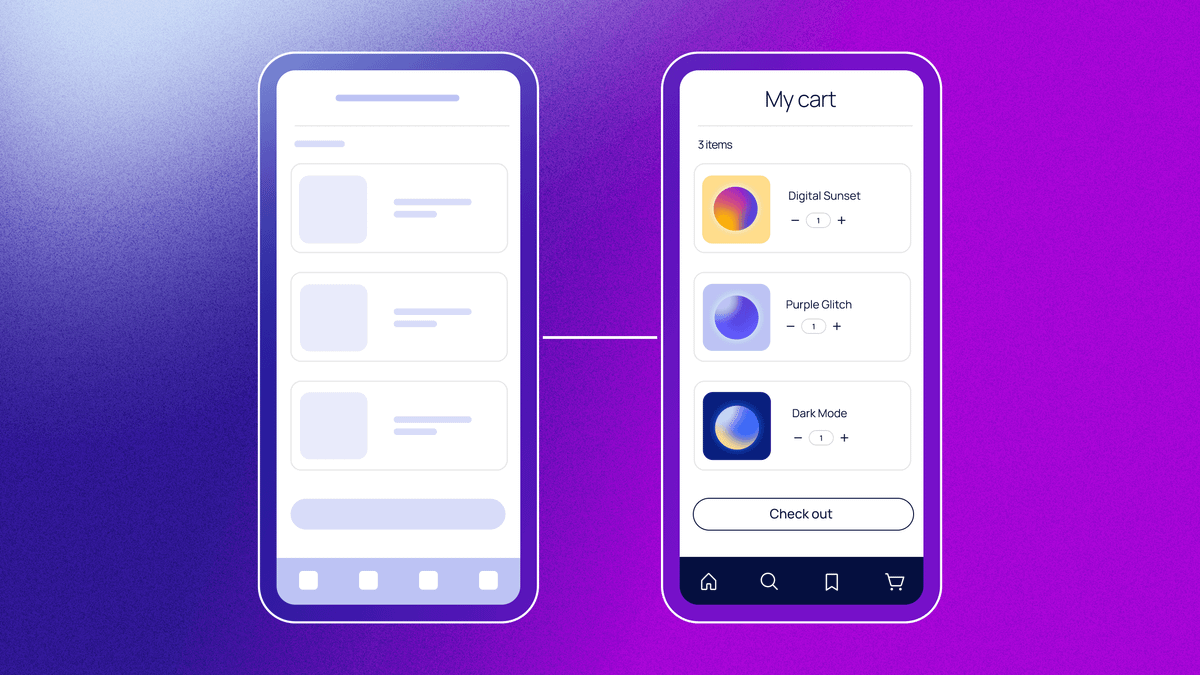
Wireframe progression showing structural sketch to fully designed app page

The Purpose of Wireframe

Wireframing is a way to design a website service at the structural level. A wireframe is commonly used to layout content and functionality on a page which takes into account user needs and user journeys. Wireframes are used early in the development process to establish the basic structure of a page before visual design and content is added.

Read more about Wireframing
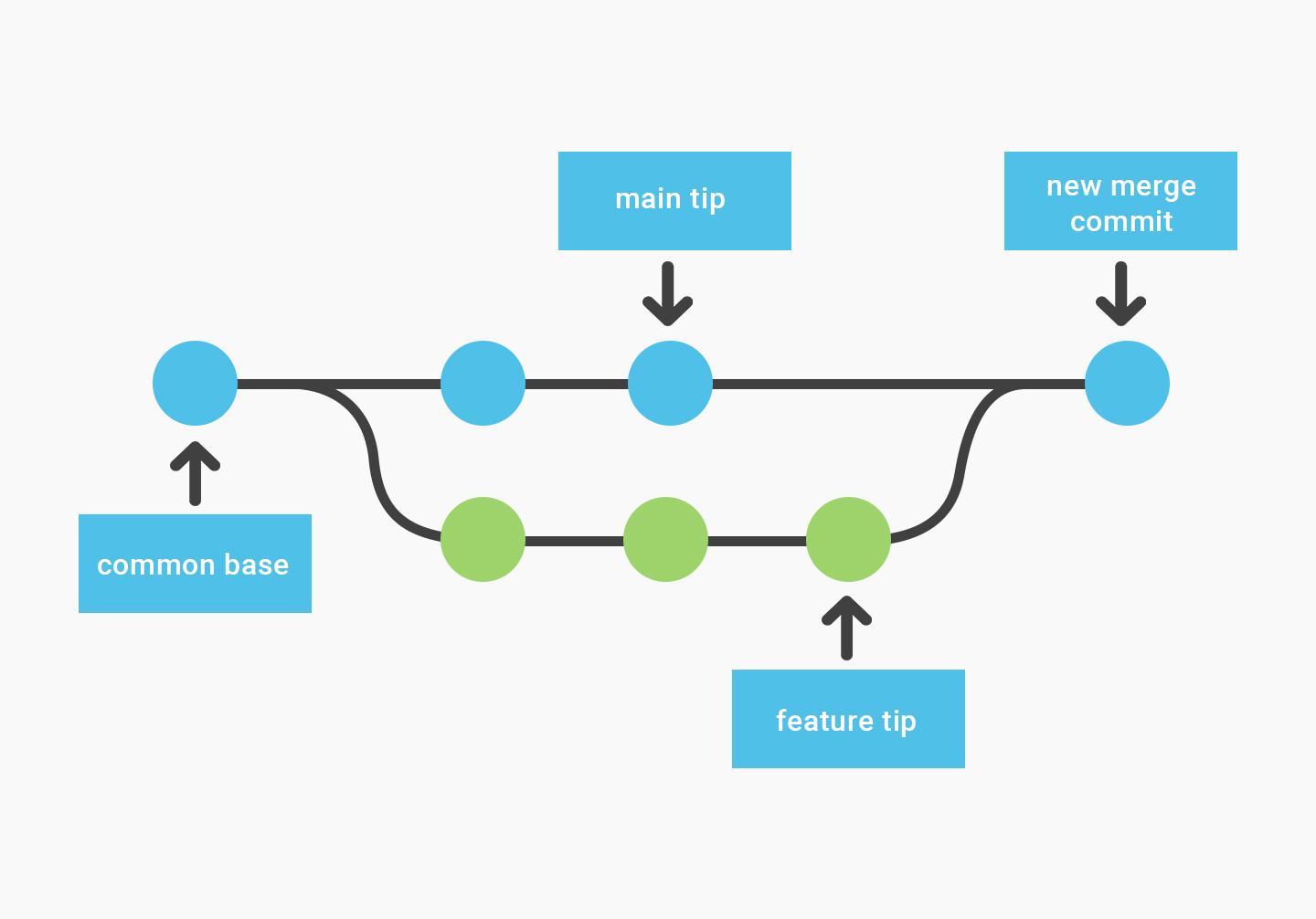
Git branch diagram showing branching and merging workflow

What is Branch in Git

In Git, a branch is like a separate workspace where you can make changes and try new ideas without affecting the main project. Think of it as a "parallel universe" for your code.

Read more about Git branches